
Install your ISP security certificate before you browse.
To keep you safe online, your school decrypt HTTPS traffic. Please install the trusted certificate below so your connection stays secure and free of warning messages.
Download your ISP certificate
TalkStraight
LGfL
RM Education
Exa Networks
How to Install
Follow the steps below carefully. If you require assistance, please contact eduthing.
Chromebook
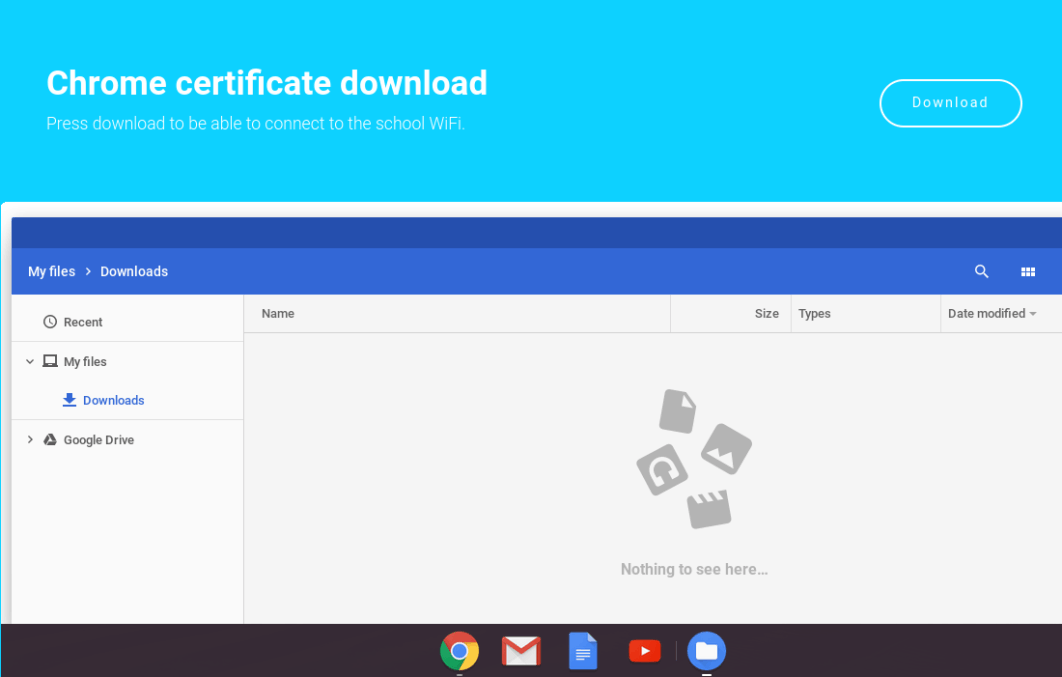
- Download the Smoothwall certificate by pressing the above "Download" button.
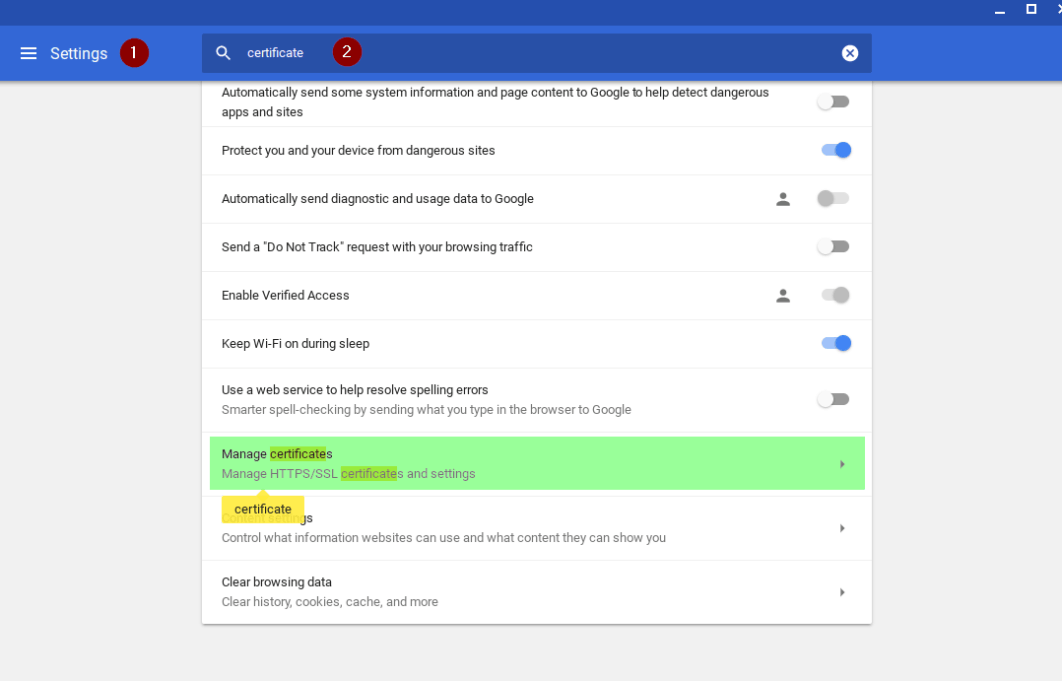
- In the Chrome Browser go to Settings. Use the "Search" bar to search for certificate then Select "Manage certificates".
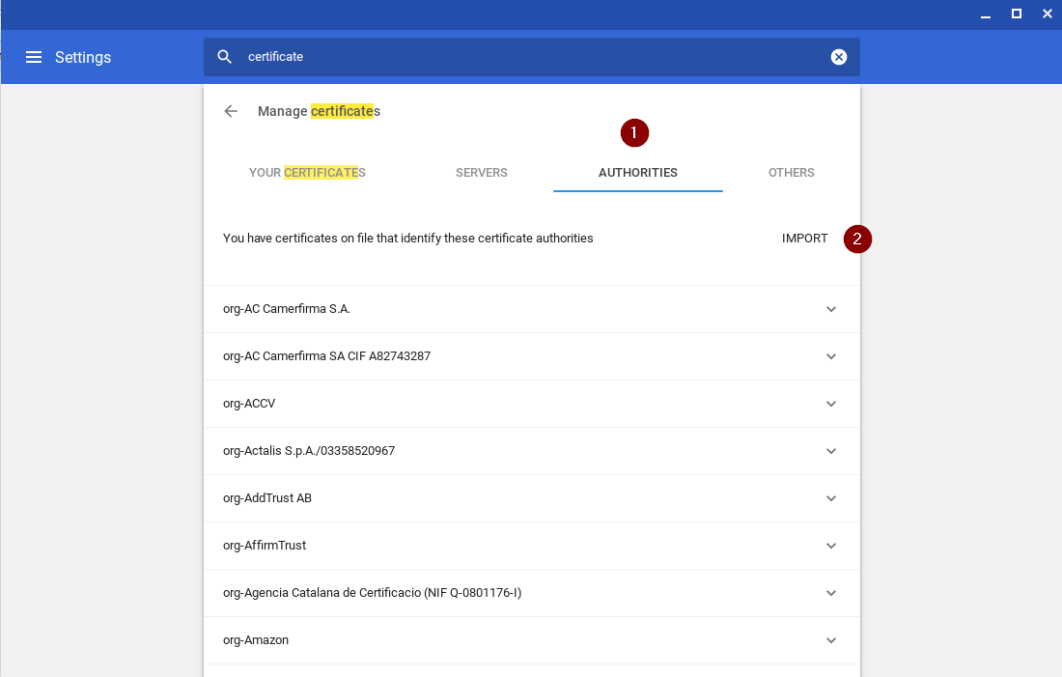
- Click the Authorities tab, then click Import. Locate the certificate you downloaded above and select the netsweeper.crt and click Open.
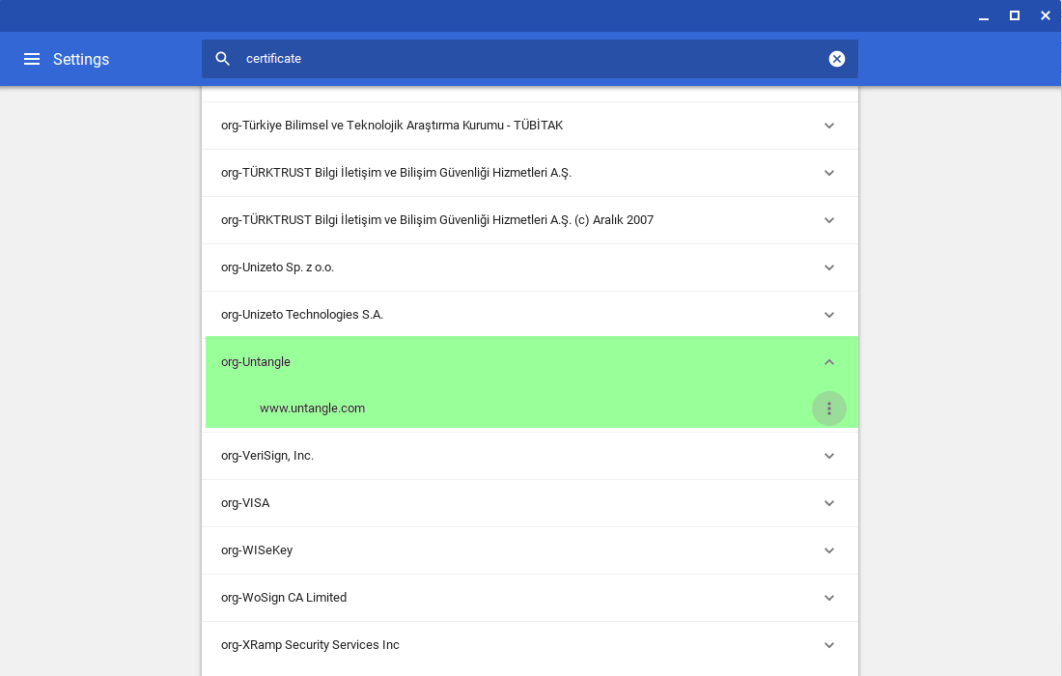
- You should now be able to see the certificate in the list of Authorities.
Check that everything worked
After installation, browse to a familiar HTTPS site. If you see a padlock and no warnings, SSL decryption is ready. Clear cache or restart your device if prompts persist.